How To: Renumbering Activity IDs
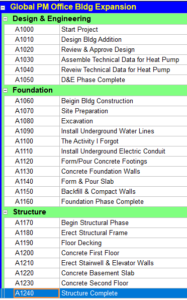
If you use Primavera, you’re familiar with the cadence of the Activity ID…. A1000, A1010, A1020, A1030…. But have you ever forgotten an activity and tried to insert it into the list after the fact? That’s why we increment the IDs by 10, it leaves room for error or change, allowing you to manually set an ID to A1011 so it fits in line with its friends.
But are you also an engineer? Or do you work with engineers? Does it bother you to no end that you no longer have a clean list of IDs in increments of 10?
You are not alone. I get this question nearly once a week – how do I get them to go back to normal without having to delete them and re-add them? And to that I say EASY!
Step 1:
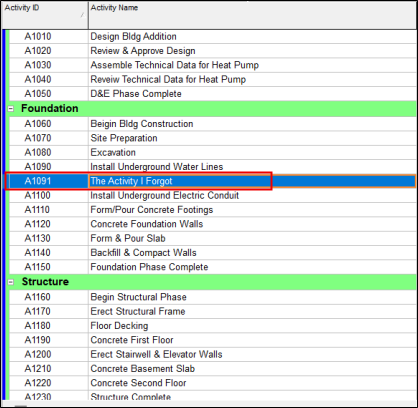
Start by manually setting the forgotten activity’s ID so it falls in line when sorted by Activity ID.
Step 2:
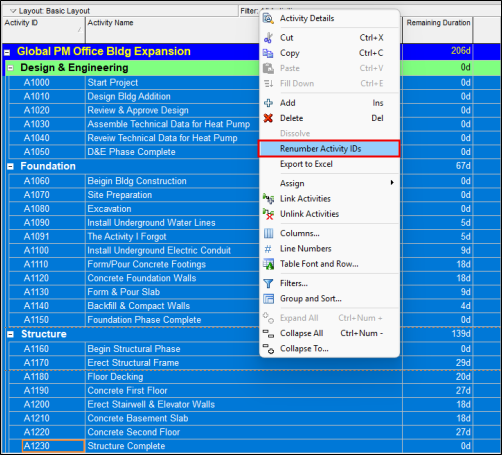
Then select all activities, right-click, and Renumber Activity IDs.
Step 3:
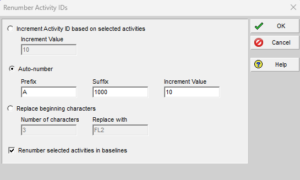
Change the Activity IDs to B1000 in increments of 10.
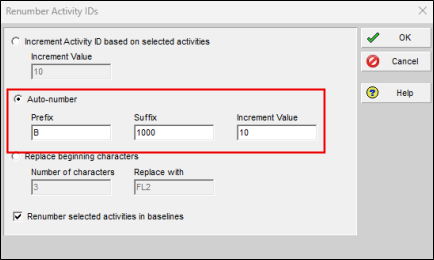
You could be done here. The IDs are all in increments of 10 but with a prefix of B. If this is good for you, stop here.
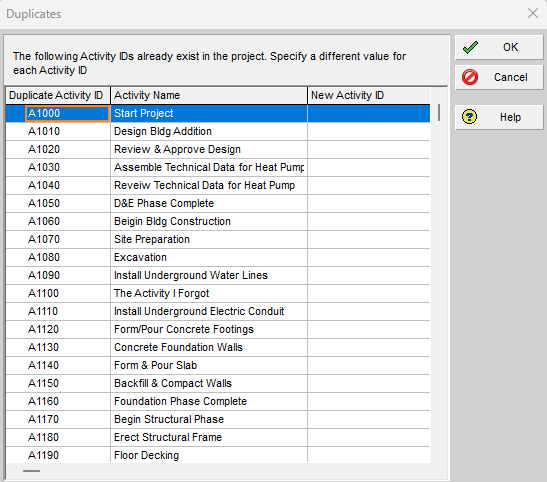
But if your goal is to get these IDs “back to normal,” you have a few more steps. You might be tempted to just renumber them back, but you’ll more than likely get this error when you do.
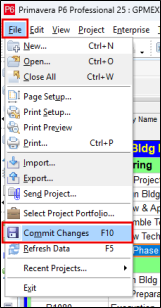
Here the trick, before renumbering them back to A, you first must Commit Changes.
File > Commit Changes.
Step 4:
Commit Changes sort of pushes those changes to the database (which would eventually happen on its own). Once that ‘s done, you can simply select all activities as you did before and choose to Renumber Activity IDs back to A 1000 in increments of 10.