
Primavera P6 Training in New Orleans, LA
Training Address: 1925 Corporate Square Drive, Suite B, Slidell, Louisiana 70458 | Duration: 3 Days | Course Fee: $1,695.00
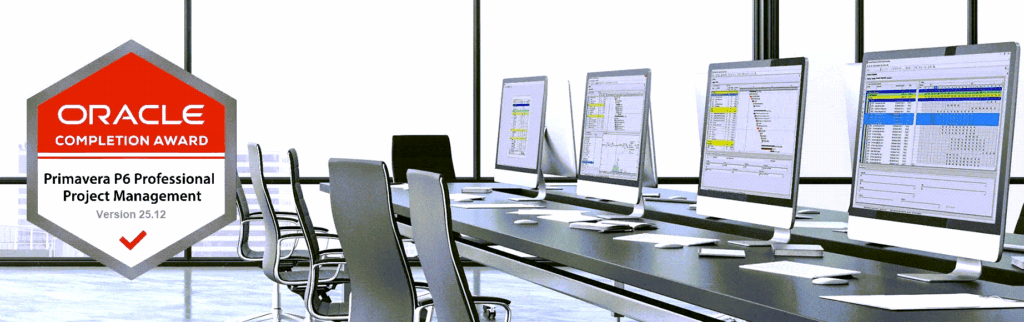
Hands-On Primavera P6 Training
Schedulers and project controls teams across southern Louisiana face a recurring problem: project schedules keep growing more complex while the pool of people who can build, maintain, and defend them stays thin. Global Project Management Solutions offers instructor-led Primavera P6 training in New Orleans designed for professionals who need hands-on, in-person instruction in Oracle Primavera P6 Professional.
Our Primavera P6 training courses in New Orleans focus on real-world scheduling workflows, critical path planning, baseline management, progress tracking, and reporting. Instead of learning through generic online modules, participants receive guided instruction from experienced trainers who understand how Primavera P6 is applied on active project sites and within high-stakes project environments.
Held at our training facility just north of the city in Slidell, Louisiana, our Primavera P6 training in New Orleans is structured for practical learning. Attendees work through exercises, ask questions in real time, and gain a clear understanding of how to build and maintain schedules that meet industry expectations. This approach is especially valuable for project professionals who are responsible for schedule quality, project forecasting, and stakeholder reporting.
The New Orleans region is a major hub for oil and gas, petrochemical, marine and port operations, utility work, and commercial construction. For professionals in these sectors, strong Primavera P6 skills are often required for project controls, planning, and scheduling roles. Whether you are new to Primavera or looking to strengthen your expertise, our Primavera training courses in New Orleans provide the applied knowledge needed to work confidently and efficiently.
If you prefer remote learning, virtual classes are available and take place in real time with a live trainer.
Course Syllabus Secondary Title
Day 1
- Instructor/participant introductions
- Overview of planning and scheduling
- Learn about the critical path, float types, lag, leads, etc.
- An introduction to Primavera P6
- About P6
- History
- Use by industry
- User interface introduction
- Describe enterprise and project-specific data
- Log in
- Open an existing project
- Navigate in the Home window and Activities window
- Open an existing layout
- Customize a layout
- Save a layout
- Creating the Enterprise Project Structure (EPS)
- View the EPS
- The OBS / Responsible Managers
- Create a new project schedule
- Navigate in the Projects window
- View and modify information in Project Details
- Define a Work Breakdown Structure
- Create multiple levels of a WBS hierarchy
- Describe an activity and its components
- Describe activity types
- Add activities
- Add a Notebook topic to an activity
- Add steps to an activity
- Assign activity codes to activities
- View a network logic diagram
- Differentiate between the four relationship types
- Create relationships in the Activity Network
- Create relationships in Activity Details
Title
Day 2
- Perform a forward and backward pass
- Describe float and its impact on a schedule
- Identify loops and open ends
- Calculate a schedule
- Analyze the scheduling log report
- Apply an overall deadline to a project
- Apply a constraint to an individual activity
- Add notebook topics to constrained activities
- Describe the available constraint types
- Describe the difference between a work product and a reference document
- Create a document record
- Link the document record to a project document or work product
- Assign the project document(s) to an activity or WBS
- Group activities according to a specific criteria
- Sort activities
- Apply a filter
- Create a filter
- Describe roles
- Views the roles dictionary
- Describe resources
- Identify the differences between labor, non-labor and material resources
- View the resource dictionary
- Assign resources by role
- Assign labor, non-labor, and material resources to activities
- Adjust Budgeted Units/Time for a resource
- Assign expenses to activities
- Display the Resource Usage Profile
- Format a profile
- Format the timescale
Title
Day 3
- Analyze schedule dates
- Shorten a project schedule
- Analyze resource availability
- Remove resource over allocation
- Analyze project costs
- Create a baseline plan
- Display baseline bars on the Gantt Chart
- Modify the bars on the Gantt Chart
- Describe several methods for updating the project schedule
- Percent complete types
- Discuss the Data Date
- Enter activity status
- Reschedule the project (F9)
- Schedule Compression Techniques
- Crashing
- Fast-Tracking
- Describe reporting methods
- Run a schedule report
- Create a resource report with the Report wizard
- Create a report using the current layout
- Schedule settings
- Formatting
- Open discussion
- Participants are welcome to discuss scheduling requirements and get instructor feedback!
Additional Details
In-person, hands-on training with a live instructor offers numerous benefits for effective skill development. Participants engage in interactive sessions where they can directly interact with the instructor and other attendees, receive personalized instruction, and gain immediate feedback. Key benefits include:
- Interactive Learning Environment: Participants can ask questions, seek clarifications, and engage in discussions, promoting a deeper understanding of the software.
- Less Distractions: Getting out of the office and being able to focus entirely on the training is invaluable!
- Immediate Feedback: Participants receive real-time guidance and corrections, helping them address mistakes and improve their software skills promptly.
- Hands-On Practice: Dedicated lab or practice time allows participants to actively apply what they've learned, reinforcing concepts and building practical experience.
- Collaboration and Networking: Working with peers promotes collaboration, exposes participants to different perspectives, and fosters valuable networking opportunities.
Basics Course (3 Days): $1,695
Advanced Course (2 Days): $1,295
Basic + Advanced (5 Days): $2,690 (Save $200 when booked together! You will be given the option to "Add Advanced Training" during checkout.)
Many of your questions will come AFTER training. We offer 30-days of post-training instructor support as well as 6 months of free refresher course support to all trained (virtual or in-person).

Is King Cake served in class during Mardi Gras season? Of course!!
What is the training address? This course is hosted at our Slidell facility. The address is 1925 Corporate Square Drive, Suite B, Slidell, LA 70458.
What is the course duration? Our course duration is 3 days.
What are the course times? Course times are 9am - 4pm, CST.
What is the course fee? The per-attendee cost is $1,695.
Are there discounts for companies with multiple attendees? Yes, we offer special pricing for groups of 3 or more. For details, please call (985) 781-9190 and speak with our Training Coordinator, Wendy Jackson.
Does the course include a certificate? Yes. You will be awarded a certificate upon completion of training.
Do I have to pass an exam at the end of class? No. Certificates are awarded based on the completion of course content. Attendees must attend the entire course to receive their Primavera P6 certificate.
Will I have a chance to ask my instructor questions? Absolutely. Our courses are highly interactive and students ask lots of questions during class. Additionally, the final hour of training each day is dedicated to a Q&A session.
Can I retake the course for free? Yes. You may retake the course as many times as you would like within 6 months. You may also choose to take an in-person course as a refresher. There is no additional fee for this.
Can I call my instructor if I have a question? Of course. 30 days of follow-up support with your instructor is included with your course fee.
Do I have to own Primavera P6 software to attend training? No, we will provide you with access to the software via our training server.
Does Global PM host private workshops? Yes, we can host a private, custom class for your organization. Check out the details here.
Can I book a private, 1-on-1 course with a Global PM instructor? Yes, please give us a call to discuss. Please call (985) 781-9190 and ask to speak with our Training Coordinator, Wendy Jackson.
I'm flying in, which airport should I fly into? Both New Orleans (MSY) and Gulfport, MS (GPT) are about 40 minutes from our office.
How far is Slidell from The French Quarter? It is about a 35-40 minute drive.

Our Primavera P6 training includes 6 months of FREE refresher support (in-person or virtual) and 30 daysof follow-up instructor support.
- 1925 Corporate Square Drive, Suite B,
Slidell, Louisiana 70458

Instructor-Led Primavera P6 Training in New Orleans for Real Project Work
Effective Primavera P6 training in New Orleans must move beyond software navigation and address how schedules are developed, maintained, and analyzed across the full project lifecycle. Global Project Management Solutions delivers in-person Oracle P6 training near New Orleans at our Slidell facility, structured around real-world workflows in oil and gas, petrochemical, marine, utility, and commercial construction.
Courses cover activity creation, logic development, constraints, baselines, schedule updating, and reporting. Participants learn how to structure schedules properly from the start and maintain them as project conditions evolve. This hands-on format makes the Primavera P6 training courses in New Orleans especially valuable for professionals responsible for schedule accuracy and project forecasting.
What to Expect from Primavera P6 Training in New Orleans
For professionals pursuing formal credentials, our Primavera P6 training in New Orleans provides a structured path toward certification readiness. Courses reinforce Oracle Primavera scheduling standards and best practices used across construction, industrial, energy, and engineering environments.
In-person instruction allows participants to work through exercises, get the answers they need, and gain clarity on scheduling concepts commonly evaluated in certification pathways. Certification-focused training helps validate expertise while strengthening long-term career opportunities in project controls and scheduling roles.
Many organizations also enroll teams in Primavera P6 training in New Orleans to standardize scheduling processes, improve reporting consistency, and reduce project risk across multiple active projects.
Who Should Enroll in Primavera P6 Training Courses in New Orleans
Primavera P6 training courses in New Orleans are ideal for:
- Project managers overseeing complex schedules.
- Construction schedulers and planners.
- Project controls and cost engineers.
- Oil and gas, petrochemical, marine, and utility project professionals.
- Contractors, EPC firms, and owner representatives.
Whether you are developing detailed schedules or reviewing project timelines for compliance and performance, Primavera training courses in New Orleans provide the applied training needed to support accurate planning and reporting.
Why Choose Global Project Management Solutions
Global Project Management Solutions has delivered hands-on Primavera training and project controls consulting since 1998. Our instructors bring real-world scheduling insight into every classroom session, ensuring that Primavera P6 training in New Orleans reflects current industry standardsand the execution challenges common on Gulf Coast projects. Courses are structured, instructor-led, and focused on measurable skill development.
Participants leave with practical knowledge they can apply immediately on active construction, energy, and infrastructure projects. Organizations benefit from stronger schedule quality, improved reporting accuracy, and greater consistency across project teams.
Enroll in Primavera P6 Training in New Orleans Today
If you are responsible for creating, managing, or reviewing project schedules, your Primavera P6 expertise directly impacts project performance. Global Project Management Solutions provides in-person Primavera P6 training in New Orleans designed to build job-ready scheduling skills through structured, hands-on instruction at our Slidell facility. Select from our Primavera training courses that align with your role and project responsibilities.
Whether you are preparing for certification or strengthening your project controls capabilities, our instructor-led Primavera P6 training courses in New Orleans deliver practical knowledge you can apply immediately. Review the New Orleans course options above and enroll today to enhance your scheduling precision and gain better control over your complex projects.
FAQs
Primavera P6 training in New Orleans is ideal for construction schedulers, project managers, planners, project controls professionals, and engineers who need to build or strengthen Primavera scheduling skills for active projects across the Gulf Coast region.
Course Instructors

PMP®, PMI-SP®,
Primavera P6, OPC Certified - Oracle University

Richard Snee
PMP®

James Varnado
Primavera P6 Certified Instructor - Global PM

Jonathan Johnson
Primavera P6 Certified - Oracle University